The audio controls they need,not the mixer they don’t.
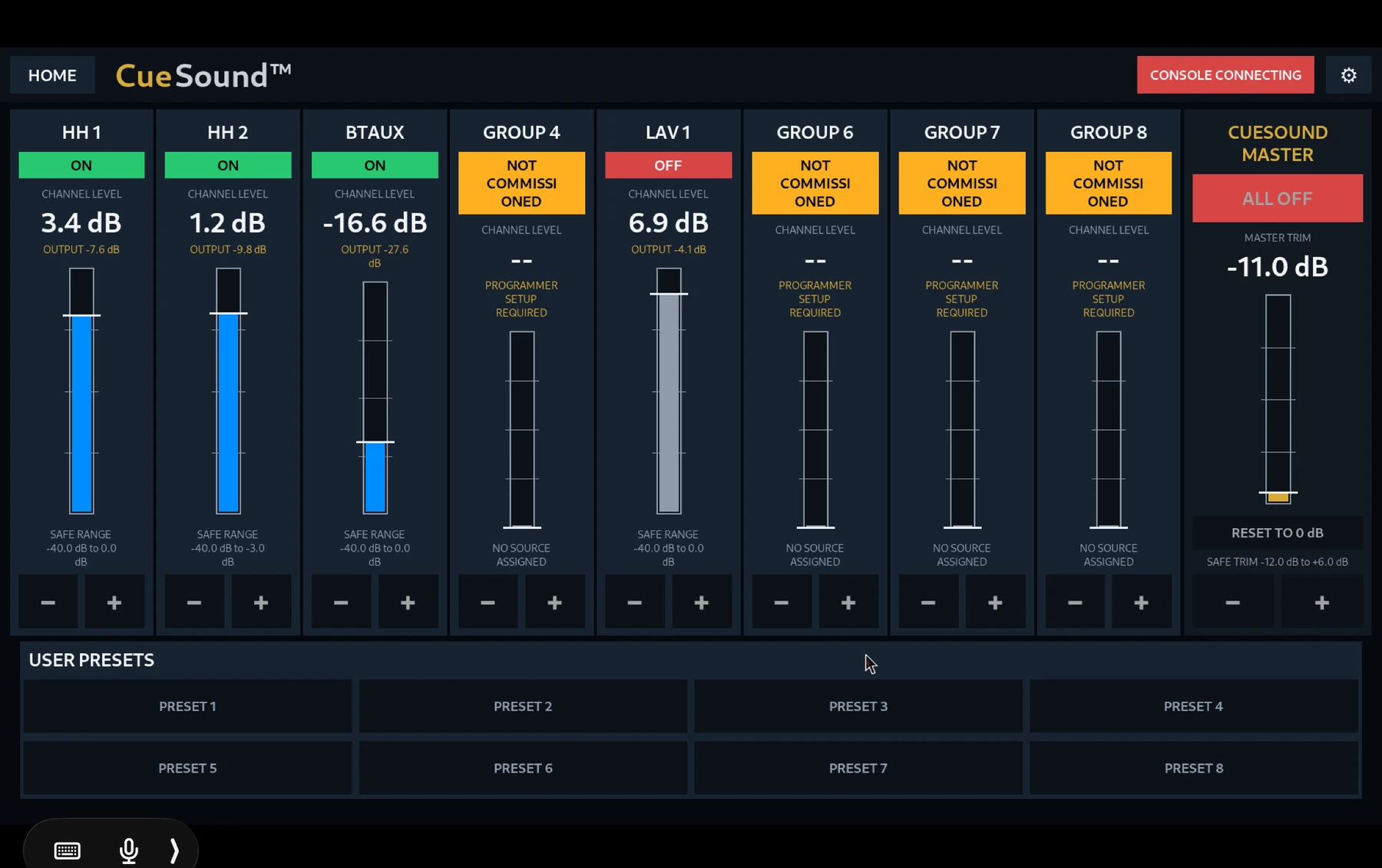
CueSound creates a bounded operating layer over a professional digital mixer so routine users can recall approved setups, mute or unmute sources, and make limited level changes without navigating the full console.
Virtual groups
Present logical controls such as podium, playback, choir, or handheld microphones instead of forcing users to understand channel architecture.
Bounded adjustments
Give operators useful level and on/off control inside limits chosen during commissioning.
Preset recall
Return routine events to known states quickly instead of rebuilding a mixer setup from memory.
Audio translated into the language of the event.
CueSound intentionally hides gain structure, patching, EQ, dynamics, routing, and other expert functions from the everyday operator.
- Simple group on/off and level control
- Bounded master adjustment
- Named presets for repeatable events
- Status feedback tied to the actual mixer
The simplicity is configured, not assumed.
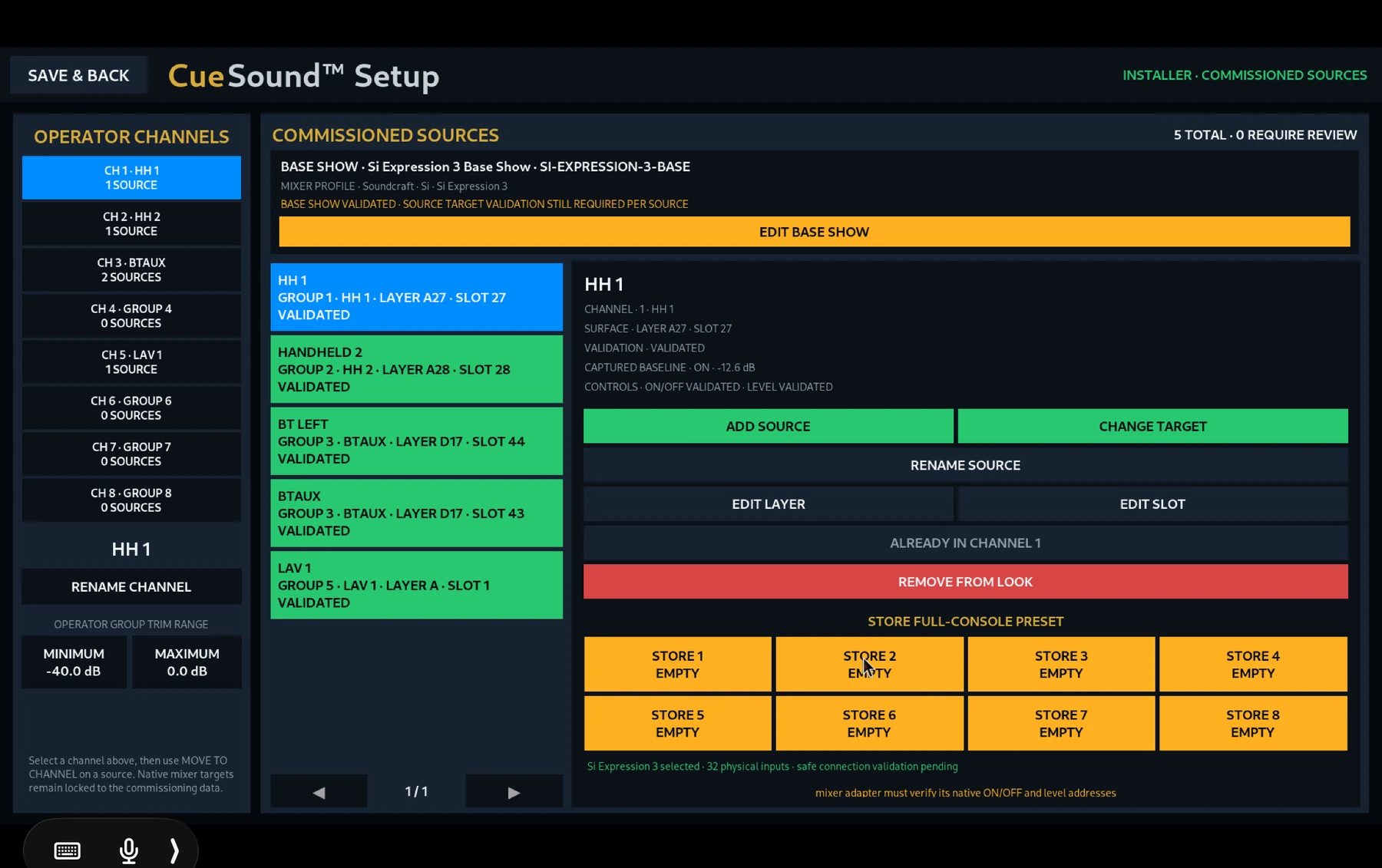
CueSound maps the controls your venue needs to the underlying mixer during commissioning. Once that work is done, the everyday interface stays intentionally small.
- Map physical sources to easy-to-understand operator labels
- Build venue-specific virtual groups
- Set appropriate level boundaries
- Preserve the console as the professional authority
Let routine users run the event.
Let the mixer stay a mixer.
CueSound is built for the gap between “call an audio engineer” and “hand somebody the entire console.”
Talk about your mixer →